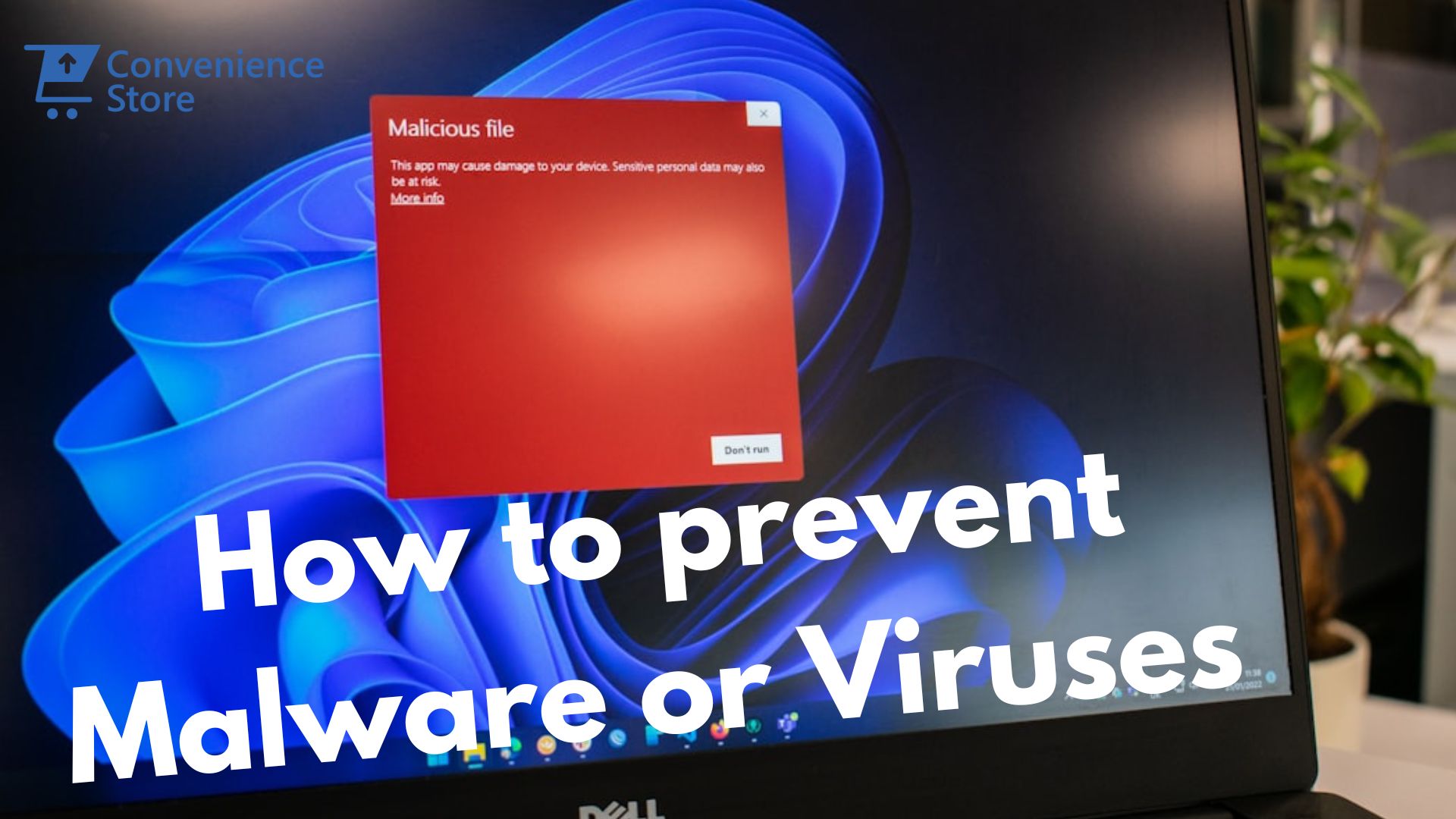
Is My PC Infected with Malware or a Virus? Signs, Removal & Prevention 2026 | Tech Convenience Store Kenya
Cybersecurity Guide · Kenya · 2026
Is My PC Infected with Malware or a Virus?
15 warning signs, a step-by-step free removal guide, malware types explained, and proven prevention strategies — written specifically for Kenyan professionals in 2026.
Kenya recorded 3.37 billion cyber threat incidents in the first quarter of 2026 alone. Your laptop is not paranoid — it is genuinely at risk. The threats are real, locally-adapted, and increasing every quarter.
The Communications Authority of Kenya's most recent cybersecurity report — covering January to March 2026 — confirmed 3.37 billion detected cyber threats in a single quarter. That followed a 441% spike in Q4 2025. Malware-specific incidents reached 68.7 million. Password stealers targeting Kenyan users increased 130% year-on-year. Ransomware attacks in the Nairobi region surged by 68%. And behind all these numbers are individual professionals, small business owners, and ordinary Kenyans whose laptops were compromised — in many cases without them realising it for weeks.
Malware in Kenya arrives through channels specific to the local market: fake WhatsApp job group links, pirated versions of Microsoft Office from flash drives, phishing pages designed to look exactly like M-Pesa's interface, and AI-generated voice calls from synthetic "Safaricom customer care" agents. These are not the poorly-spelled emails from distant princes that characterised malware a decade ago. In 2026, cybercriminals targeting Kenyan users are sophisticated, locally-adapted, and operating at industrial scale.
This guide covers everything: how to recognise whether your laptop or PC is infected, what type of threat you are dealing with, how to remove it for free, and how to protect yourself so this never happens again. Every tool is free. Every step is tested and verified against current guidance from Microsoft, Norton, Malwarebytes, and the Communications Authority of Kenya.
15 Warning Signs Your PC or Laptop Is Infected with Malware
Not every slow laptop has malware — but every infected laptop has symptoms. As Norton's January 2026 malware analysis confirms, experiencing multiple signs simultaneously is a strong indication of infection. A single symptom may have other explanations. Three or more appearing together — especially after a download, a clicked link, or plugging in a flash drive — investigate immediately.
01
🐌
Your Computer Has Become Noticeably and Suddenly Slower
Malware constantly runs hidden processes in the background — consuming CPU and RAM your legitimate apps need. If your laptop used to open Chrome in 2 seconds and now takes 20, without any new software installed or storage filled, malware is a primary suspect. Check Task Manager (Ctrl+Shift+Esc) for unfamiliar processes consuming high resources at idle. A 2026 Cybersecurity Threat Intelligence Report found over 60% of malware samples degrade system performance as a primary function — making slowness the most statistically reliable early indicator.
Critical — Check Immediately
02
💥
Frequent Crashes, Blue Screens of Death (BSODs), or Freezing
Random, repeated BSODs with different error codes each crash — MEMORY_MANAGEMENT, PAGE_FAULT_IN_NONPAGED_AREA, IRQL_NOT_LESS_OR_EQUAL rotating — is a classic malware signal. Software problems usually produce the same error code repeatedly; the randomness comes from unpredictable interference with system memory. Hardware RAM faults produce a similar pattern, so run both a malware scan and a memory diagnostic (Win+R → mdsched) to distinguish between the two.
High Danger
03
🛡️
Your Antivirus or Windows Security Has Been Disabled Without Your Action
Many sophisticated malware strains specifically disable your security software first — removing Windows Defender from Startup, blocking access to Windows Security settings, and disabling real-time protection. This is intentional: a machine with no active defences is far easier to exploit further. If Windows Security shows "Off" and you didn't turn it off, this is a critical red flag. Safe Mode can restore access to security tools even when malware has blocked them normally.
Critical Warning
04
🔒
Files Are Encrypted, Renamed with Strange Extensions, or Inaccessible
If files are renamed with extensions like .locked, .encrypted, .WNCRY — and cannot be opened — you have ransomware. A ransom note typically appears on the desktop or inside affected folders. Do not pay. Immediately: disconnect from the internet, preserve the machine's state, restore from backup, check nomoreransom.org for free decryption tools, and report to KE-CIRT/CC (0800 722 122). Payment does not guarantee recovery and funds further criminal operations in Kenya.
Ransomware — Act Now
05
📧
Emails or WhatsApp Messages Sent From Your Account That You Didn't Write
If contacts report receiving suspicious messages from "you" — spam, phishing links, unusual WhatsApp messages — your credentials have been stolen and your account or device compromised. A keylogger captured your login details; an attacker is using your identity to spread further malware. Change all passwords immediately from a different, clean device. Warn your contacts not to click any links they received from you recently.
Account Compromised
06
📶
Unusually High Internet Data Usage When You're Not Actively Online
Spyware, Remote Access Trojans, and botnets constantly communicate with command-and-control servers — uploading stolen passwords, screenshots, and documents, while downloading further payloads. If your Safaricom data bundle depletes faster than your usage justifies, or Task Manager's Network tab shows unexplained outbound traffic, your machine may be exfiltrating data in the background. The Communications Authority of Kenya specifically flagged unexplained network activity as a key indicator in their Q1 2026 advisory.
Data Theft in Progress
07
🌐
Browser Homepage Changed or You're Redirected to Unknown Sites
A browser hijacker has taken control of your browser settings if: your homepage opens to a site you didn't set, searches route through an unfamiliar engine, or an unknown toolbar appeared under your address bar. These infections redirect your searches through ad networks (earning the attacker money) and route you toward scam pages or phishing sites. They commonly arrive bundled with free software downloaded from unofficial sites — a very common pattern in Kenya's market.
Browser Hijacker
08
📢
Constant Pop-Up Ads — Including on Sites That Never Have Ads
Adware injects advertisements into web pages — including government portals, Wikipedia, and news sites that never carry ads. If pop-ups appear outside the browser window, or ads appear on sites you know shouldn't have them, adware is installed. Scareware pop-ups claiming "Your PC is infected! Click here to fix!" are themselves malware delivery mechanisms — clicking them installs the actual infection they claim to be fixing.
Adware / Scareware
09
🛠️
Task Manager, Registry Editor, or Command Prompt Won't Open
When Task Manager is greyed out, or regedit/cmd produce access errors, malware has specifically blocked these diagnostic tools to prevent detection and removal. As Webroot notes: "Many malware threats target the security systems first so they can wreak havoc without being hampered." Safe Mode (press F5 at restart) bypasses this restriction by loading only essential Windows processes — most malware will not load there.
Malware Blocking Detection
10
💾
Storage Is Suddenly Full Without Any New Files Added
Some malware deliberately fills hard drive space to cause crashes, slow the system, or hide activities within the noise of a full drive. If your storage bar is suddenly red and you haven't downloaded large files recently, check storage via Settings → System → Storage. Look specifically in C:\Windows\Temp, C:\Users\[name]\AppData\Local\Temp, and any folders with random alphanumeric names in unexpected locations.
Storage Manipulation
11
👤
New Programs, Icons, or Toolbars Appeared That You Didn't Install
Unfamiliar programs in your Start menu, new desktop icons you never created, or browser extensions appearing without your action indicate malware or PUPs (Potentially Unwanted Programs) that installed alongside software you downloaded. Many PUPs arrive bundled with legitimate free software — an unchecked box during installation — and immediately start collecting data or displaying ads.
PUP / Bundled Malware
12
💡
Your PC Is Active at Night or Runs Hot and Loud When Idle
Cryptocurrency mining malware (cryptojackers) use your laptop's CPU/GPU to mine digital currency for attackers — causing 100% CPU usage even when you're not working. If your laptop fan runs loudly and the chassis heats up when nothing is open, a cryptojacker is likely running. These dramatically shorten CPU and fan lifespan and drain battery — both serious concerns given Kenya's laptop usage patterns and power situation.
Cryptojacker / Botnet
13
🎥
Webcam or Printer Activates Without Your Instruction
A Remote Access Trojan (RAT) gives an attacker full control of your machine — including the ability to activate your webcam to spy on you, use your microphone to record conversations, and send files to your printer. If your webcam indicator light activates when you're not in a video call, or your printer springs to life unexpectedly, this is a serious privacy breach. Cover your webcam with tape immediately and investigate.
RAT — Privacy Breach
14
🔑
You Can't Log Into Your Accounts or Your Passwords Have Changed
If your email, M-Pesa portal, bank app, or social media password no longer works — and you didn't change it — a keylogger captured it and an attacker has logged in and locked you out. Use account recovery options immediately. The CA Kenya Q1 2026 report confirmed password stealers targeting Kenyan users increased 130% year-on-year. Change all passwords from a clean, separate device as a priority.
Credential Theft — Act Now
15
📡
Contacts Report Receiving Suspicious Messages From You
When colleagues, family, or clients ask about a suspicious link or message "you" sent — malware has either accessed your contacts list and sent spam/phishing from your accounts, or your email has been fully compromised. This is how malware spreads: exploiting existing trust relationships. Warn all contacts immediately not to click any links received from you recently, and change all email and social media passwords from a clean device.
Malware Spreading via You
⚠️
Important context: These symptoms can also result from hardware problems, software conflicts, or a full SSD — not always malware. Multiple symptoms appearing simultaneously, or symptoms that appeared suddenly after a download or clicking a link, significantly indicate infection. When in doubt, run the scans in Part 4 before drawing conclusions.
2
Part Two · Threat Types
Types of Malware — Know What You're Dealing With
Different malware types require different responses. Ransomware demands immediate disconnection. A keylogger demands immediate password changes. A browser hijacker can often be removed with AdwCleaner alone. Knowing what type of threat you face lets you prioritise the correct response — and set realistic expectations for recovery.
🔒
Ransomware
Critical
Encrypts your files and demands cryptocurrency payment to restore access. Does not destroy files — holds them hostage. Spreads via phishing emails, malicious downloads, and exploited vulnerabilities. Payment does not guarantee recovery. Always backup — it is the only reliable defence.
🇰🇪 +68% surge in Nairobi — businesses targeted
🕵️
Spyware / Keylogger
Critical
Silently records every keystroke — passwords, M-Pesa PINs, banking credentials — and transmits them to attackers. Takes screenshots. Can run for months before detection. Password stealers increased 130% in Kenya in 2025; spyware +115%.
🇰🇪 Targets M-Pesa, banking apps — top Kenya threat
🎭
Trojan Horse
Critical
Disguises itself as legitimate software — cracked Office, pirated games, "free antivirus" — and once installed, opens backdoors for attackers, downloads additional malware, or steals data. The primary malware delivery method in Kenya where pirated software is common.
🇰🇪 #1 entry point — pirated software downloads
🖥️
Remote Access Trojan (RAT)
Critical
Gives the attacker full remote control — they can see your screen, activate your webcam, read files, listen through your microphone, and conduct transactions in your name. Installed via phishing links or malicious email attachments.
🇰🇪 Rising — targets Kenyan business email users
⛏️
Cryptojacker
High
Uses your CPU/GPU to mine cryptocurrency for attackers. Causes 100% CPU usage, extreme heat, rapid battery drain, and dramatically slowed performance. Often arrives via browser extensions or drive-by downloads from compromised websites.
🇰🇪 Common cause of unexplained laptop overheating
🤖
Botnet Malware
High
Recruits your PC into a coordinated network of infected machines used for DDoS attacks on Kenyan government services, mass spam campaigns, and credential stuffing — all without your knowledge. Your machine becomes complicit in cybercrime targeting other Kenyans.
🇰🇪 Used in 2023 attack on Kenya's eCitizen platform
🌐
Browser Hijacker / Adware
Medium
Modifies browser settings, injects ads, redirects searches, installs unwanted toolbars. Less dangerous than the above types but exposes you to further threats via redirects. Commonly bundled with free software from unofficial sites.
🇰🇪 Very common in Kenya — free download sites
🎣
Phishing Malware / Fake Pages
Critical
Convincing fake versions of M-Pesa, KCB, Equity, Safaricom, and KRA pages designed to steal credentials. Delivered via WhatsApp links, SMS, email, or pop-up ads. Phishing accounts for 71% of attacks targeting Kenya's banking sector per SOCRadar 2025.
🇰🇪 71% of Kenya banking attacks — most common
3
Part Three · Diagnosis
How to Confirm Whether Your PC Is Actually Infected
Before running removal tools, confirm the infection. Some symptoms — slowness, crashes — result from hardware issues, outdated drivers, or a full SSD rather than malware. These quick diagnostic checks distinguish between a malware problem and a maintenance problem.
Press Ctrl + Shift + Esc → Processes tab → Sort by CPU or Memory
🚩 Red flags to investigate:
- Random letter/number combinations: xyzabcd.exe, jkl54.exe
- Familiar names misspelled: svchost32.exe, chromes.exe
- Processes running from: C:\Users\[name]\Temp\ or AppData\Roaming\
- High CPU at idle from unknown process (right-click → Open file location)
✔ Safe to ignore: svchost.exe (many instances = normal), System, csrss.exe, lsass.exe
Google any unfamiliar process name before killing it — some look suspicious but are legitimate
Quick Check 2 — Startup Apps: Malware Often Persists via Startup
Task Manager → Startup Apps tab
OR: Settings → Apps → Startup
🚩 Red flags:
- Programs listed as Publisher: "Unknown"
- Random character names (asd123.exe)
- Programs running from Temp or AppData folders
Also check the physical startup folder:
Win + R → type: shell:startup → Enter
(Shows items that auto-launch — any .exe or shortcut here is suspicious if unrecognised)
Quick Check 3 — Windows Defender Status
Windows Security (search in Start menu) → Check:
✔ Virus & threat protection — should show "On"
✔ Real-time protection — should show "On"
✔ Firewall & network protection — should show "Active"
If ANY of these are "Off" and you didn't turn them off:
→ Strong indicator of active infection disabling your defences
→ Try to re-enable — if you cannot, infection is confirmed
→ Boot into Safe Mode to regain access (see Part 4)
💡
If malware has blocked Task Manager, Run dialog, or Windows Security: That itself confirms infection. Boot into Safe Mode — press and hold Shift while clicking Restart → Troubleshoot → Advanced Options → Startup Settings → Restart → press F5 — to restore full access to diagnostic tools. Most malware does not load in Safe Mode.
4
Part Four · Removal
Step-by-Step Malware Removal Guide — All Free Tools
🚨
If you suspect ransomware specifically: Do not follow the standard steps below. Disconnect from internet immediately and do not restart. Standard removal steps can interact badly with active ransomware encryption. See the ransomware guidance at the bottom of this section.
🔌
Step 1 — Isolation
Disconnect from the Internet Immediately
As soon as you confirm or strongly suspect infection, disconnect from the internet. Unplug Ethernet. Switch on Airplane mode. Disconnect from mobile hotspot. This prevents malware from: downloading additional payloads, communicating with command-and-control servers, uploading your stolen data to attackers, and spreading to other devices on your network. As McAfee's January 2026 guidance states: "Cutting the internet connection hinders malicious activities from communicating with a remote host, sending confidential information or downloading further threats." Do not reconnect until scans are fully complete and malware removed.
⚠ Most important step — do not skip⏱ 10 seconds
💾
Step 2 — Backup
Back Up Critical Files Before Running Any Scans
Before any removal tools run, copy your most critical files — important documents, irreplaceable photos, business data — to an external drive or USB. Do this before scanning, not after. Some removal processes quarantine or delete files that appear suspicious; some malware removal triggers further instability. Back up documents and data files only — do not back up .exe files from an infected machine, as malware can be embedded within executables and would carry over.
Required before removal steps⏱ 10–30 minutes
🔄
Step 3 — Safe Mode
Boot into Safe Mode — Disables Most Malware on Startup
Safe Mode starts Windows with only essential system processes — most malware is designed to run after normal startup and will not load in Safe Mode. Running scans from Safe Mode means malware cannot actively interfere with the removal process, cannot re-enable itself during scanning, and cannot block security tools from functioning. This is particularly important if malware has already disabled Windows Defender in normal mode.
How to Boot into Safe Mode with Networking — Windows 10/11
If Windows starts normally:
Settings → System → Recovery → Advanced Startup → Restart Now
→ Troubleshoot → Advanced Options → Startup Settings → Restart
→ Press F5 (Safe Mode with Networking)
OR: Hold Shift while clicking Start → Power → Restart → same path above
If Windows won't start normally:
Power the machine on and off 3 times at the Windows logo
→ Automatic Repair screen appears → Advanced Options → same path above
In Safe Mode: screen resolution changes and desktop looks basic — this is normal
Clearing temporary files removes many cached malware components, speeds up scanning, and is recommended by Dell, Microsoft, and security researchers as a standard pre-scan step. Many malware installers leave traces in Temp folders that can re-infect even after a scan if not cleared first.
Clear Temporary Files — Windows
Win + R → type: temp → Enter → Select All (Ctrl+A) → Delete (ignore permission errors)
Win + R → type: %temp% → Enter → Select All → Delete
Win + R → type: prefetch → Enter → Select All → Delete
Also: Search "Disk Cleanup" → Select C: → Check all boxes → Clean up system files → OK
⏱ 5 minutes✔ Do this before every scan
🛡️
Step 5 — Primary Scan
Run Windows Defender Full Scan — Built-in, Free, Always Available
Windows Defender (Windows Security) is built into Windows 10 and 11 at no cost. A Full Scan examines every file on your system — much more thorough than the default Quick Scan which only checks common infection locations. Microsoft recommends running from Safe Mode for best results on suspected active infections. Additionally, run the Offline Scan — this scans before Windows loads and catches boot-sector malware and rootkits that standard scans miss.
Windows Defender Full Scan + Offline Scan
Windows Security → Virus & threat protection → Scan options
Step A: Full scan
→ Select: Full scan (not Quick scan)
→ Click: Scan now
→ Wait: 30–90 minutes
→ Allow quarantine/removal of everything flagged
Step B: Offline scan (catches rootkits and boot-sector malware)
→ Windows Security → Scan options → Microsoft Defender Offline Scan
→ Click Scan now → PC restarts automatically and scans before Windows loads
→ Results shown after restart
✔ Free — built into Windows⏱ 30–90 minutes
🔬
Step 6 — Second Opinion
Run Malwarebytes Free — Catches What Defender Misses
No single antivirus detects everything. Malwarebytes Free is the most widely recommended second-opinion scanner in the cybersecurity industry — specialising in adware, PUPs, browser hijackers, and spyware that Windows Defender sometimes misses. It runs alongside Windows Defender without conflict and has been the go-to free second-opinion tool for security professionals for over a decade. Only download from malwarebytes.com — many fake "Malwarebytes" downloads are themselves malware.
Malwarebytes Free — Download, Install, Scan
1. Download from: malwarebytes.com/mwb-download (on clean device if needed, then USB transfer)
2. Install the application
3. Update threat database immediately after installation
4. Run: Scanner → Full Scan → Scan now
5. Wait for completion — review all flagged items
6. Quarantine everything flagged → Apply actions
7. Restart the PC as prompted
Free version: fully functional for on-demand scanning — no time limit
Premium ($2–3/month): adds real-time protection alongside Defender
✔ Free for scanning⏱ 15–30 minutes
🔧
Step 7 — Specialist Tools
Specialist Tools for Stubborn or Advanced Infections
Some infections — particularly rootkits and advanced persistent threats — hide deeply in the system and survive standard antivirus scans. For infections that return after removal or persist despite two rounds of scanning, use these specialist tools recommended by cybersecurity professionals.
Tool
Best For
Cost
Where to Get
Microsoft Safety Scanner
General malware — no install needed, portable
Free
microsoft.com/safety/scanner
HitmanPro
Cloud-based — runs without install, bypasses malware blocking
Free 30-day trial
hitmanpro.com
ESET Online Scanner
Deep scan, no install required, good second opinion
Free
eset.com/online-scanner
AdwCleaner
Adware, browser hijackers, PUPs — very fast
Free
malwarebytes.com/adwcleaner
Autoruns (Microsoft Sysinternals)
All startup/auto-run locations — most comprehensive tool for persistence
Free
docs.microsoft.com/sysinternals
Process Explorer (Microsoft)
Advanced Task Manager — integrates VirusTotal for real-time process checking
Free
docs.microsoft.com/sysinternals
✔ All freeFor persistent or advanced infections
🌐
Step 8 — Browser
Clean Your Browser — Remove Hijackers, Extensions & Cache
After system-level malware is removed, check your browser separately. Browser hijackers often survive system scans because they live within browser profile data rather than system files. This step is required even if the system scan found and removed threats.
Full Browser Cleanup — Chrome / Edge / Firefox
1. Extensions audit:
Chrome/Edge: Menu (⋮) → More Tools → Extensions → Remove all unfamiliar ones
Firefox: Menu → Add-ons and Themes → Extensions → Remove unknowns
2. Reset browser settings (removes hijacked homepage + search engine):
Chrome: Settings → Reset settings → Restore settings to original defaults
Edge: Settings → Reset settings → Restore settings to default values
Firefox: Help → More Troubleshooting Information → Refresh Firefox
3. Clear all browsing data:
Ctrl + Shift + Delete → Time range: All time
Check: Browsing history, Cookies, Cached images, Passwords
Click: Clear data
4. Verify homepage and default search engine are what you set:
Chrome: Settings → On startup + Search engine → confirm
⏱ 10 minutes✔ Required after every malware removal
🔑
Step 9 — Credentials
Change ALL Passwords from a Clean, Separate Device
If a keylogger was present, every password typed while the device was infected has been captured and may already be in use by an attacker, or actively being sold on the dark web. Change all passwords from a different device — your phone, a trusted friend's laptop, a cyber café machine you trust. Priority order: 1) Gmail/Email (controls recovery for everything else), 2) M-Pesa and banking, 3) Work systems and email, 4) Social media, 5) Everything else. Enable Two-Factor Authentication (2FA) on all important accounts — even if a password is stolen, 2FA blocks the attacker from actually logging in.
⚠ Change from a DIFFERENT device, not the infected oneEnable 2FA on all financial accounts
✅
Final Step — Verify Clean
Confirm Clean, Reconnect, and Monitor for 72 Hours
After all scans return clean and you've changed your passwords, restart the laptop normally. Reconnect to the internet. Run one final Malwarebytes quick scan and a Windows Defender quick scan to confirm no active threats remain. Monitor over the next 48–72 hours: check Task Manager periodically, watch for unexpected network activity, and verify homepage and startup programs haven't reverted. If malware returns after removal, it is likely being re-introduced from an infected file you haven't identified — often a downloaded file in Documents, a USB drive, or a cloud-synced file that re-downloads the infection. In persistent cases, Windows Reset (Settings → System → Recovery → Reset this PC → Keep my files) provides a guaranteed clean slate.
✔ Monitor for 72 hours after removalFree tool: Malwarebytes Free for ongoing manual scans
🔒
Ransomware — Special Steps (Do Not Follow Standard Process Above):
1. Disconnect from internet and all networks immediately. Do not restart the machine.
2. Do NOT pay the ransom. Payment does not guarantee recovery and funds further attacks on other Kenyans.
3. Check nomoreransom.org immediately — free decryption tools are available for many ransomware strains.
4. Report to KE-CIRT/CC via ca.go.ke — your report aids investigations protecting other Kenyan businesses.
5. Restore from your most recent clean backup if available.
6. If no backup: consult a data recovery professional before formatting — some recovery may be possible.
7. After recovery: wipe and reinstall Windows completely to guarantee no persistent ransomware components remain.
Kenya recorded 3.37 billion cyber threats in one quarter of 2026. Most of them succeeded because the target's machine was unprotected — not because the threat was undetectable.
Source: Communications Authority of Kenya Q1 2026 Cybersecurity Report · ca.go.ke · Need Help? WhatsApp us →
5
Part Five · Prevention
How to Prevent Malware — Protect Your Machine Going Forward
The Communications Authority of Kenya's own analysis of the Q1 2026 threat surge attributes the rise to "inadequate system patching, limited user awareness of threat vectors such as phishing and other social engineering techniques, and growing adoption of AI-driven attacks." Every prevention measure below directly addresses one of these root causes.
🔄
Keep Windows & Software Updated Always
The CA Kenya report confirms most successful attacks in Kenya exploit vulnerabilities that patches already exist for. Over 1 million exploitation attempts blocked in Kenya in 2025 targeted Office/Windows vulnerabilities from 2017–2018 — on machines simply not updated. Turn on automatic updates immediately.
✔ Settings → Windows Update → Automatic updates ON
🛡️
Keep Windows Defender Always ON
Windows Defender provides solid real-time protection for free. Never disable it to install a "better" antivirus from a flash drive or suspicious link — that is a common malware delivery method in Nairobi's informal market. Check its status monthly: Windows Security → verify all shields show "On."
✔ Windows Security → all shields green
🔐
Enable Two-Factor Authentication (2FA)
Even if a password is stolen by a keylogger, 2FA blocks the attacker from logging in without access to your phone. Enable on Gmail, Safaricom portal, KCB, Equity, and all work systems. Use an authenticator app (Google Authenticator, Microsoft Authenticator) — more secure than SMS-based 2FA.
Reusing the same password across accounts means one breach compromises everything. Bitwarden (free, open-source) generates and stores unique strong passwords for every site. You only remember one master password. Works on all devices including your phone.
Pirated software is the leading malware delivery vector in Kenya. Cracked Office installers, pirated games, and "free" Adobe products from Telegram groups almost universally contain Trojans, keyloggers, or backdoors. Use free alternatives: LibreOffice, Office Online, Google Docs — all excellent and genuinely free.
Fake M-Pesa win notifications, "your account is suspended" messages, and WhatsApp job group links are primary phishing vectors in Kenya in 2026. No legitimate Safaricom, KCB, KRA, or Equity communication requires you to urgently click an unsolicited link. Verify directly at official sites.
✔ Verify at official sites — never through received links
💾
Back Up Regularly — Ransomware Insurance
Regular backups to an external drive or cloud storage are the only reliable defence against ransomware. If files are encrypted, you restore from backup — the ransom demand becomes irrelevant. Back up weekly minimum; daily for critical business data. Google Drive (15GB free) is the easiest starting point.
✔ Google Drive (free 15GB) · External HDD: KSh 5,500+
🔌
Scan Every USB Drive Before Opening
USB worms spread when infected drives are shared between machines — common in Kenyan offices, cyber cafés, and printing shops. Before opening any files from a USB drive: right-click the drive in Windows Explorer → "Scan with Microsoft Defender." Never plug in a USB found or received from an untrusted source.
✔ Right-click USB drive → Scan with Microsoft Defender
🌐
Use uBlock Origin Ad Blocker in Your Browser
Malvertising — malicious ads injected into legitimate websites — is a significant drive-by infection vector. uBlock Origin (free) blocks malicious ads before they can run scripts that install malware. Install it on Chrome, Firefox, or Edge. One of the highest-impact, lowest-effort security additions available.
✔ Search "uBlock Origin" in Chrome Web Store — install free
✅
The Minimum Free Security Setup for Any Kenyan Professional: Windows Defender ON → Automatic updates ON → 2FA on email and M-Pesa → Bitwarden for passwords → uBlock Origin in browser → Weekly Google Drive backup. This setup addresses the most common attack vectors in Kenya's 2026 threat landscape — all for KSh 0.
6
Part Six · Kenya Context
Kenya-Specific Cyber Threats & Scams — 2026
The cybercriminals targeting Kenyan users in 2026 understand the local market deeply. They reference Safaricom, M-Pesa, KCB, and KRA by name. They know that pirated software is common. They know WhatsApp is the primary communication channel for both personal and business use. Cybersecurity experts in Nairobi reported that 2025 saw "the highest volume of digital scams targeting ordinary citizens in over a decade." These are the threats most likely to affect you.
Scam / Threat
How It Works
Warning Signs
What to Do
🎁 Fake M-Pesa Win SMS/WhatsApp
Message claiming you've won M-Pesa money. Link leads to a fake Safaricom page harvesting credentials or installing malware.
URL is not safaricom.com · Asks for M-Pesa PIN · Creates urgency
Delete. Never click. Report to Safaricom 0722 002 100.
💼 WhatsApp "Online Jobs" Groups
Fake job groups promise KSh 1,500–6,000/day for simple tasks. Require M-Pesa "registration fee" then vanish. Some spread malware via shared documents.
Upfront payment required · Vague job description · Group added without request
Leave and report the group. Never send M-Pesa to unknown parties.
📞 AI Voice Cloning Calls
AI-generated voices impersonating Safaricom, KCB, or Equity customer care — convincingly real. Request account verification code or PIN.
Unsolicited call · Asks for PIN or OTP · Creates urgency ("account will be suspended")
Hang up immediately. No bank or Safaricom ever asks for your PIN by phone.
💻 Pirated Software Trojans
Cracked Office, Adobe, or games from Telegram groups or street market flash drives. Contain bundled Trojans installing keyloggers or backdoors silently.
Free software that costs money · Antivirus warning on install · Asks to "disable antivirus"
Delete immediately. Use LibreOffice or Office Online instead.
🏦 Fake Banking / KRA Pages
Phishing pages identical to KCB, Equity, or KRA eTIMS. URL differs slightly (kra-etims.net vs kra.go.ke). Immediately steals credentials entered.
URL does not end in .go.ke (government) · Arrived via link — not bookmarked · Asks for unusual details
Always type banking and KRA URLs directly. Never use links from email or SMS.
🔌 USB Worm Sharing
Malware spreads when infected flash drives are shared between machines in offices, cyber cafés, and printing shops. Copies itself to every USB inserted.
Shortcuts appear on USB · Files seem to vanish · Antivirus fires on insertion
Scan every flash drive with Windows Defender before opening. Disable USB autorun.
😱 Fake Antivirus Scareware Pop-ups
Browser pop-up: "Your PC is infected with 47 viruses! Click here to fix!" The download itself is the malware. Common on piracy and streaming sites.
Appears as browser pop-up — not from Windows Security · Claims specific virus count · Extreme urgency
Close the browser tab. Never click. Run Windows Defender yourself to verify.
Kenya Reality Check
The Communications Authority of Kenya detected 3.37 billion cyber threats in Q1 2026 alone — a 441% increase from the previous quarter. Malware-specific incidents reached 68.7 million. According to Kaspersky data for Kenya, approximately 27% of individual users encountered cyber threats including phishing and malware in recent months. This is not an abstract concern. WhatsApp us on 0714 722 264 if you need help securing or replacing your machine.
🚨 Kenya Cybersecurity Emergency Contacts
If you have been a victim of cybercrime, ransomware, M-Pesa fraud, or identity theft — report it. Your report helps protect other Kenyans and can trigger official investigations.
Communications Authority Kenya (KE-CIRT/CC)
📞 0800 722 122 (Toll-Free) · ca.go.ke
Safaricom M-Pesa Fraud Reporting
📞 0722 002 100 · Dial *234#
DCI Kenya Cybercrime Unit
📞 0800 722 203 · dci.go.ke
Free Ransomware Decryption Tools
🌐 nomoreransom.org
Cybersecurity in Kenya is not a future concern — it is a present reality documented in billions of incidents per quarter by the Communications Authority of Kenya itself. The laptops and desktops across Nairobi, Mombasa, Kisumu, and every Kenyan town are active targets for malware that is sophisticated, locally-adapted, and delivered through channels Kenyan professionals use every day. The defence is genuinely achievable at no cost: keep your system updated, run Windows Defender, never install pirated software, and back up your data regularly. These four free habits protect against the vast majority of threats in Kenya's 2026 landscape.
If your current laptop is too old to receive Windows security updates, too slow to run modern security software effectively, or too compromised to clean reliably — a fresh, tested machine may be the most practical path forward. Browse our professionally tested EX-UK refurbished business laptops, explore our full laptop range in Kenya, or WhatsApp our team on 0714 722 264 — we can advise honestly on whether your machine needs cleaning, upgrading, or replacing.
🏪 Tech Convenience Store — Nairobi CBD
Need a Clean Machine — or Expert Security Advice?
If your laptop is too compromised to clean, too old for security updates, or you simply need a fresh start — our fully tested, professionally cleaned business laptops are ready. Call or WhatsApp for honest advice. 0714 722 264