Core i5 16GB RAM vs Core i7 8GB RAM: Performance Comparison (2026) | Tech Convenience Store Kenya
Laptop Buying Guide · Kenya · 2026
Core i5 16GB RAM vs Core i7 8GB RAM
The debate every Kenyan laptop buyer faces. We break down exactly which configuration wins — and for which tasks — so you spend your shillings on the right machine.
Most Kenyan laptop buyers face exactly this choice. The answer is not the same for everyone — but for the majority of students, professionals, and everyday users, it tilts firmly in one direction.
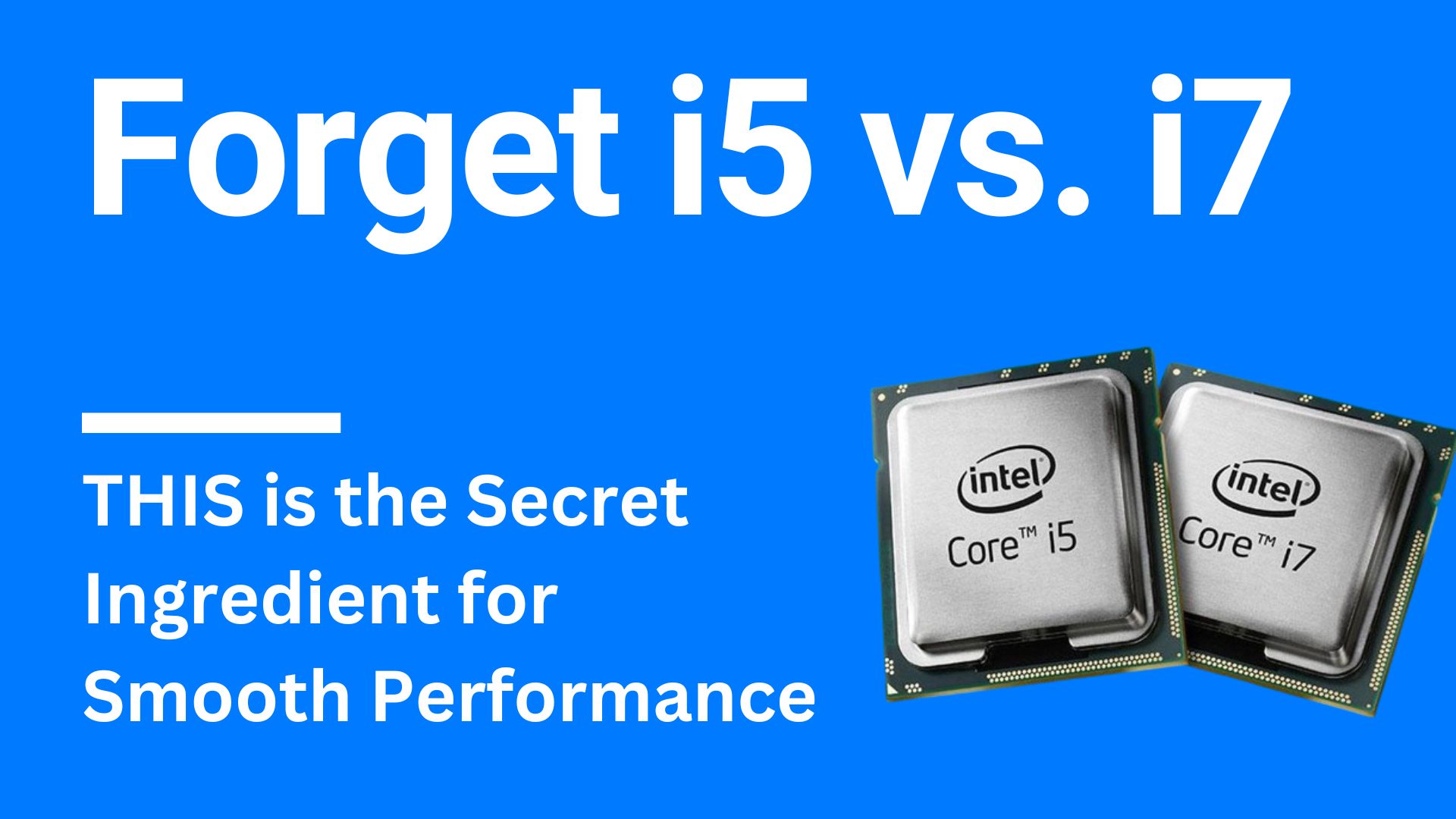
Walk into any electronics shop on Luthuli Avenue or browse Kenya's online laptop market, and you will repeatedly encounter this dilemma: a Core i5 laptop with 16GB RAM at one price, and a Core i7 laptop with 8GB RAM at a similar or slightly higher price. The conventional wisdom says "i7 is always better." The technical reality in 2026 says something quite different. For most real-world tasks, RAM is the primary bottleneck for perceived system speed — not the CPU. An i7 throttled by 8GB of RAM will feel slower in everyday use than an i5 with 16GB running the same tasks. This guide cuts through the marketing language and explains exactly when each configuration wins, loses, or draws — with specific scenarios relevant to how Kenyans actually use their laptops.
What the CPU and RAM Actually Do — Why This Comparison Is Not Simple
Before comparing the two configurations, it helps to understand what each component actually does — and why more of one does not automatically mean a better experience overall.
⚙️
The CPU (Core i5 vs Core i7) — What It Controls: The processor handles the actual computation — calculations, rendering, encoding, compilation. An i7 has more cores, higher clock speeds, larger cache, and more threads than an i5 in the same generation. This advantage is most felt in: video rendering, 3D design, complex data analysis, running multiple virtual machines, AI model training, and high-end gaming with CPU-intensive titles. In these scenarios, the i7 genuinely finishes tasks faster. However — and this is critical — for most everyday tasks (browsing, email, Word, Excel, Zoom), the CPU sits at 15–40% utilisation and never approaches its performance ceiling. The i7 advantage is irrelevant when the CPU isn't the bottleneck.
🧠
RAM (16GB vs 8GB) — What It Controls: RAM is where your computer stores everything currently active — every open browser tab, every running application, the operating system itself, and all the data those programs are actively working with. When RAM runs out, Windows is forced to use the SSD as "virtual memory" — which is dramatically slower (10–50× slower than RAM). This is called "paging" or "swapping," and it manifests as the system freezing, stuttering, and becoming unresponsive. Windows 11 itself uses approximately 3–4GB of RAM at idle. With 8GB total: 4–5GB remain for your applications. Open Chrome with 10 tabs, Teams, Word, and your phone's WhatsApp Web — and you are already near capacity. With 16GB: 12–13GB available for applications — enough for genuinely demanding multitasking with room to spare.
The Key Insight
As noted by Quora's expert community and confirmed in Box.co.uk's 2026 i5 vs i7 guide: "RAM often limits perceived responsiveness more than a moderate CPU step." For everyday computing tasks, the system feels fast when it has enough RAM to avoid paging — regardless of whether the CPU is an i5 or i7. The i7 advantage only becomes meaningful when the task genuinely saturates the CPU.
2
Part Two · Specification Comparison
Head-to-Head: Core i5 16GB RAM vs Core i7 8GB RAM
Configuration A — Team RAM
Core i516GB RAM
✔ Multitasking Champion✔ Better Value✔ Everyday Use Winner
Kenya price: from KSh 35,000 (EX-UK refurb)
VS
Configuration B — Team CPU
Core i78GB RAM
✔ Rendering & Encoding✔ Heavy Multithreaded Work✔ Future Upgrade Option
Kenya price: from KSh 33,000 (EX-UK refurb)
Specification Comparison — Same Generation
Comparing 8th–10th Gen i5 and i7 (the most common EX-UK refurbished laptops in Kenya's market)
Specification
Core i5 + 16GB
Core i7 + 8GB
CPU Cores (mobile)
4 cores / 8 threads
4–6 cores / 8–12 threads
Base Clock Speed
1.6–2.5 GHz (typical)
1.8–2.9 GHz (typical)
Turbo Boost
Up to 4.1 GHz
Up to 4.9 GHz
Cache (L3)
6 MB typical
8–12 MB typical
Available RAM for Apps
~12–13 GB ✔
~4–5 GB ⚠
Multitasking Headroom
Substantial ✔
Limited ⚠
Single-Core Speed
Good
Faster ✔
Multi-Core / Rendering
Adequate
Faster ✔
Battery Life (typical)
Longer ✔
Shorter (i7 uses more power)
Upgrade Path
RAM already maxed for most
Can upgrade RAM to 16GB later ✔
⚠️
Critical buying question before deciding: Is the RAM on your target laptop soldered or upgradeable? Modern slim consumer laptops frequently solder RAM to the motherboard, making 8GB permanent with no upgrade possible. Business-class machines (HP EliteBook, Dell Latitude, Lenovo ThinkPad) typically have user-accessible RAM slots. If the i7 laptop's RAM is soldered and non-upgradeable at 8GB, choose the i5 16GB without hesitation. WhatsApp us at 0714 722 264 with your specific model and we will confirm upgradeability immediately.
3
Part Three · Real-World Performance
Performance Comparison by Task Type — Who Wins Where
Benchmarks don't tell the full story. Real-world performance depends on how the task distributes across CPU and RAM. Here is an honest assessment of each major task category.
🌐 Web Browsing + Multiple Tabs
✔ i5 16GB Wins
i5 + 16GB — Tab Headroom
Smooth — 20+ tabs
i7 + 8GB — Tab Headroom
Slows at 8–10 tabs
Chrome is notoriously RAM-hungry — each tab uses 100–300MB. With 8GB total (4–5GB available after Windows), 10 open tabs plus WhatsApp Web plus YouTube already fills memory. The i5 16GB browsing experience is dramatically smoother than i7 8GB in any multi-tab scenario.
📊 Microsoft Office / Google Workspace Multitasking
✔ i5 16GB Wins
i5 + 16GB — Office Multitasking
Word + Excel + Outlook + Teams
i7 + 8GB — Office Multitasking
Sluggish with 4+ apps open
The typical Kenyan professional has: Word document, Excel spreadsheet, email client (Outlook or Gmail), Teams or Zoom, a few browser tabs, and background apps (OneDrive, antivirus). This easily uses 8–10GB of RAM. The i7 8GB machine slows noticeably as memory fills; the i5 16GB handles this without hesitation.
📹 Video Calls — Zoom, Teams, Google Meet
✔ i5 16GB Wins
i5 + 16GB — Video Call Smoothness
Smooth — background apps fine
i7 + 8GB — Video Call Smoothness
Choppy when RAM is full
Zoom and Teams consume 500MB–1.5GB of RAM per session, plus additional CPU for video encoding. With 8GB already tight from background apps, video calls on a heavily loaded system cause audio/video stutter. The i5 16GB keeps enough headroom for a smooth call even with other apps open.
🎬 Video Editing — 1080p Content
⚖️ Context-Dependent
i5 + 16GB — Editing Smoothness
Smooth preview — slower export
i7 + 8GB — Export Speed
Faster export — sluggish preview
i5 16GB: Smoother timeline scrubbing and multi-track editing experience; projects load faster; less risk of editor crash. i7 8GB: Faster render/export times for completed projects, but complex timelines may lag due to RAM pressure. For YouTubers and content creators who edit frequently in DaVinci Resolve or Premiere Pro — the ideal is i7 with 16GB. If forced to choose: the i5 16GB provides a smoother day-to-day editing experience for most 1080p work.
💻 Software Development & Coding
✔ i5 16GB Wins for Most
i5 + 16GB — Dev Environment
VS Code + browser + terminal
i7 + 8GB — Compilation Speed
Faster builds, RAM-limited stack
Web developers, Python developers, and mobile app devs (Android Studio, Flutter) benefit significantly from 16GB RAM. Running VS Code, Chrome (for testing), Node.js, a local database, and Docker simultaneously easily uses 10–12GB. The i7 build speed advantage is negated when the machine is constantly paging to disk due to insufficient RAM. For large enterprise codebases or heavy compilation: i7 16GB is ideal; for most Kenyan developers: i5 16GB wins.
🎮 Gaming
✔ i5 16GB Generally Wins
i5 + 16GB — Modern Game Compatibility
16GB = most 2026 titles supported
i7 + 8GB — CPU Speed Advantage
8GB limits modern titles
As Box.co.uk's 2026 guide confirms: "For gaming, 16GB RAM is recommended for modern titles; i5+16GB is often the better gaming base than i7+8GB." Many 2026 games list 16GB RAM as recommended (not minimum). An i5 16GB plays these titles smoothly; an i7 8GB may struggle with RAM-intensive open-world games despite the CPU speed advantage. Note: dedicated GPU matters far more than i5 vs i7 for gaming — both have integrated graphics that limit gaming anyway.
🎨 Graphic Design — Photoshop, Illustrator, Canva
✔ i5 16GB Wins
i5 + 16GB — Photoshop Layers
Complex files — smooth
i7 + 8GB — Filter Application Speed
Faster filters, limited files
Adobe Photoshop and Illustrator are RAM-intensive applications. Large PSD files with many layers, smart objects, and adjustment layers can use 2–6GB of RAM on their own. Add the OS and browser reference tabs, and 8GB is insufficient for professional-grade design work. The i5 16GB handles complex design files comfortably; the i7 8GB may crash or slow dramatically with large projects.
📱 Data Analysis — Excel Power Query, Python Pandas, SPSS
✔ i5 16GB Wins
i5 + 16GB — Dataset Handling
Large datasets — no swap
i7 + 8GB — Calculation Speed
Faster math, smaller datasets
Data analysis loads entire datasets into RAM for processing. A 500MB Excel file with Power Query transformations, or a Python Pandas dataframe with 1 million rows, uses 2–4GB just for the data. With 8GB total, Excel crashes or slows to a crawl. With 16GB, even moderately large datasets process without paging. For Kenyan accountants, analysts, and researchers: the i5 16GB is the clear choice.
4
Part Four · Who Should Choose What
Which Configuration Is Right for Your Specific Use Case
🎓
University / College Student
✔ Choose i5 + 16GB
Multiple browser tabs, Word, Google Docs, Zoom lectures, research databases, Moodle, and reference PDFs simultaneously — all RAM-intensive multitasking. The i5 16GB handles a full student workload without slowdowns.
Why: RAM bottleneck is constant; CPU is never saturated by academic work
💼
Office Professional / Admin
✔ Choose i5 + 16GB
Email, Excel, Word, Teams/Zoom, browser for M-Pesa, CRM, and internal systems all running together. This mix fills 8GB quickly. 16GB keeps everything smooth throughout the working day.
Why: Multitasking is the whole job; CPU speed adds nothing to this workflow
📊
Accountant / Finance Professional
✔ Choose i5 + 16GB
QuickBooks, Sage, Excel with large datasets, Zoom meetings, and multiple browser sessions for banking portals. Financial datasets are RAM-hungry. The i7's CPU speed doesn't accelerate Excel calculations meaningfully.
Why: Data analysis is RAM-bound, not CPU-bound, at typical Kenya business scale
💻
Web / Mobile Developer
✔ Choose i5 + 16GB
VS Code, browser (10+ tabs for docs/testing), local server, terminal, and npm/yarn processes use 8–12GB easily. Without 16GB, developers spend more time waiting for swapping than for compilation.
Why: Development environment RAM consumption exceeds 8GB in typical stack
🎬
Serious Video Editor (4K Content)
✔ Choose i7 + 8GB (then upgrade RAM)
If the laptop allows RAM upgrade, start with i7 8GB and upgrade to 16GB (KSh 4,500–8,500 upgrade cost). The i7's extra cores genuinely reduce export times for 4K content. But only if RAM is upgradeable.
Why: CPU cores matter for encoding; upgrade RAM for full benefit
🏗️
3D Designer / Architect (CAD)
✔ Choose i7 + 8GB (if RAM upgradeable)
SketchUp, AutoCAD, Revit, and Blender benefit from i7 multi-core performance for rendering. Again: only choose i7 8GB if you can upgrade to 16GB. An i7 with stuck 8GB will struggle with complex 3D scenes.
Why: Rendering is genuinely multi-core; RAM must be upgradeable to realise benefit
🎮
Casual / Moderate Gamer
⚖️ i5 + 16GB is Safer Choice
Most 2026 games recommend 16GB RAM. The GPU matters far more than i5 vs i7 for gaming. Without a dedicated GPU, both configurations are limited by integrated graphics. With dedicated GPU: i5 16GB is the safer choice for RAM-hungry titles.
Why: 16GB is the new gaming baseline; GPU matters more than CPU tier
📱
Content Creator (Social Media)
⚖️ i5 + 16GB for Most
CapCut, DaVinci Resolve (free), Canva, social media scheduling tools — these benefit from 16GB RAM for smooth operation. Basic 1080p content creation is well handled by an i5 16GB. 4K production at scale justifies i7 + 16GB.
Why: 1080p editing is RAM-intensive; CPU speed helps only at 4K
5
Part Five · Our Clear Verdict
The Final Verdict — Which Should You Buy in Kenya in 2026?
Scenario
Winner
Why
Everyday browsing, email, Office
✔ i5 + 16GB
RAM is always the bottleneck here; i7 speed is irrelevant
Heavy multitasking (5+ apps open)
✔ i5 + 16GB
8GB RAM fills up fast; 16GB eliminates paging slowdowns
Student workload (university)
✔ i5 + 16GB
Academic multitasking is RAM-bound, never CPU-bound
Software development
✔ i5 + 16GB
Dev stacks consume 10–12GB; 8GB causes constant swap
Video calls (Zoom/Teams)
✔ i5 + 16GB
16GB keeps headroom for smooth calls with background apps
Data analysis (Excel, Python, SPSS)
✔ i5 + 16GB
Large datasets require RAM; CPU speed adds little
Graphic design (Photoshop, Illustrator)
✔ i5 + 16GB
Complex design files fill 8GB; 16GB keeps project smooth
Gaming (with GPU)
✔ i5 + 16GB
16GB = modern game minimum; GPU matters more than i5 vs i7
1080p video editing
⚖️ Depends on project size
i5 16GB = smoother editing; i7 8GB = faster exports on small projects
4K video rendering / encoding
✔ i7 + 8GB → then upgrade RAM
Extra CPU cores meaningfully reduce 4K export time
3D rendering (Blender, AutoCAD)
✔ i7 + 8GB → then upgrade RAM
Multi-core rendering benefits from i7; upgrade RAM for full use
RAM is soldered and non-upgradeable
✔ Always i5 + 16GB
If stuck at 8GB forever, the i7 CPU speed advantage is permanently undermined
Budget is the primary constraint
✔ i5 + 16GB
16GB i5 configurations often cost same or less as i7 8GB
🏆
Our Clear Kenya 2026 Recommendation:
For the majority of Kenyan buyers — students, professionals, multitaskers, developers, designers, and general users — choose the Core i5 with 16GB RAM. The real-world performance advantage of 16GB RAM over 8GB is felt in virtually every task you perform daily. The CPU speed advantage of the i7 over the i5 is only felt in a narrow set of genuinely CPU-intensive sustained workloads.
The only scenario where i7 + 8GB makes sense: You specifically need the i7's rendering/encoding speed for 4K video or 3D work AND the laptop allows RAM upgrade to 16GB later. In this case, buy the i7 and upgrade RAM (KSh 4,500–8,500) as soon as budget allows. If the RAM is soldered and permanently at 8GB — choose the i5 16GB regardless of your workload.
For most Kenyans, an i5 with 16GB RAM delivers a faster real-world experience than an i7 with 8GB RAM — at the same or lower price.
What Does Each Configuration Cost in Kenya — 2026 KSh Prices
i5 + 16GB
KSh 35,000 – 55,000
Core i5 8th–10th Gen + 16GB RAM — EX-UK Refurbished
HP EliteBook 840 G6 i5-8265U 16GB 256GB SSD · Dell Latitude 5490 i5-8250U 16GB 256GB · Lenovo ThinkPad T490 i5-10210U 16GB 256GB. Enterprise-grade build quality, MIL-spec tested, excellent keyboards. This is the sweet spot for most Kenyan buyers — professional hardware at accessible prices with the RAM to run any everyday workload smoothly.
i7 + 8GB
KSh 30,000 – 50,000
Core i7 8th–10th Gen + 8GB RAM — EX-UK Refurbished
HP EliteBook 840 G5 i7-8650U 8GB 256GB · Dell Latitude 7490 i7-8650U 8GB 256GB. Often priced similarly to or slightly cheaper than i5 16GB equivalents. Before buying: check whether RAM is upgradeable on the specific model. If yes, budget KSh 4,500–8,500 for 8GB DDR4 upgrade to reach 16GB — for an effective i7 16GB machine at KSh 35,000–55,000.
i5 + 16GB New
KSh 65,000 – 90,000
Core i5 12th–13th Gen + 16GB RAM — New Retail Kenya
New HP or Lenovo i5 12th/13th Gen with 16GB RAM — significantly faster than older generations with efficiency cores, better battery life, and full Windows 11 support. Ideal if budget allows. For most Kenyan buyers, EX-UK refurbished at KSh 35,000–55,000 offers dramatically better value per shilling.
i7 + 16GB
KSh 50,000 – 80,000
Core i7 + 16GB RAM — The Ideal Configuration
If budget allows, the best of both worlds: i7 CPU speed plus 16GB RAM. EX-UK refurbished i7 16GB machines (HP EliteBook x360 i7 16GB, Dell Latitude 7490 i7 16GB, ThinkPad X1 Carbon i7 16GB) represent exceptional value for power users — professional-grade performance at 30–40% of original cost.
💡
Smart Kenya Buying Strategy: Browse our current stock of HP EliteBook, Dell Latitude, and Lenovo ThinkPad laptops — then WhatsApp us on 0714 722 264 telling us your budget and primary use. We'll confirm the exact spec, RAM upgradeability, and recommend whether i5 16GB or i7 + upgrade makes more sense for your specific situation. Free advice, no pressure, honest recommendation.
The Core i5 with 16GB RAM versus Core i7 with 8GB RAM debate has a clear answer for most Kenyan laptop buyers in 2026: RAM wins. Not because the i7 is a bad processor — it is genuinely faster in the tasks that fully utilise it — but because the majority of what Kenyans do on laptops every day is RAM-limited, not CPU-limited. Browsing, Office, Zoom, email, design work, development environments, data analysis — all of these hit 8GB RAM long before they stress even an older i5's CPU. The practical result is a machine that slows, stutters, and frustrates — despite having an "i7" sticker on it.
The one important caveat: if the i7 machine's RAM is upgradeable and you can afford the KSh 4,500–8,500 upgrade to 16GB, buying the i7 at a similar base price and upgrading gives you the best of both worlds — faster CPU and adequate RAM. Always ask before buying. Our team at Tech Convenience Store Kenya confirms RAM upgradeability for every machine we stock — WhatsApp us on 0714 722 264 and we will point you to the right configuration for your budget and needs.
🏪 Tech Convenience Store — Nairobi CBD · Countrywide Delivery
Ready to Buy? We'll Find the Right Configuration for You.
Browse our full range — or WhatsApp us your budget and use case and we'll recommend the exact laptop. All machines tested and confirmed before dispatch. WhatsApp: 0714 722 264