











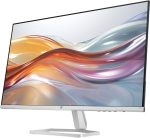
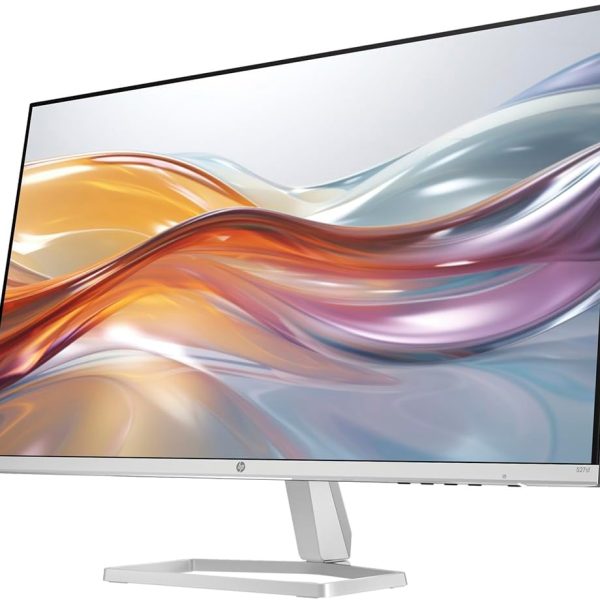
HP 527sf Series 5 27-inch FHD IPS Monitor | 100Hz | 99% sRGB
Original price was: KSh 30,000.00.KSh 27,499.00Current price is: KSh 27,499.00.
-
 Pick up from the Tech Convenience Store

Pick Up Before 5 PM
Free
-
Local Courier delivery

Our courier will deliver to the specified address
1-5 Days
KES 500 - KES 1,500
Description
HP Series 5 527sf 27-inch Monitor
Big, Colourful, and Smooth at 100Hz · Ksh 27,499
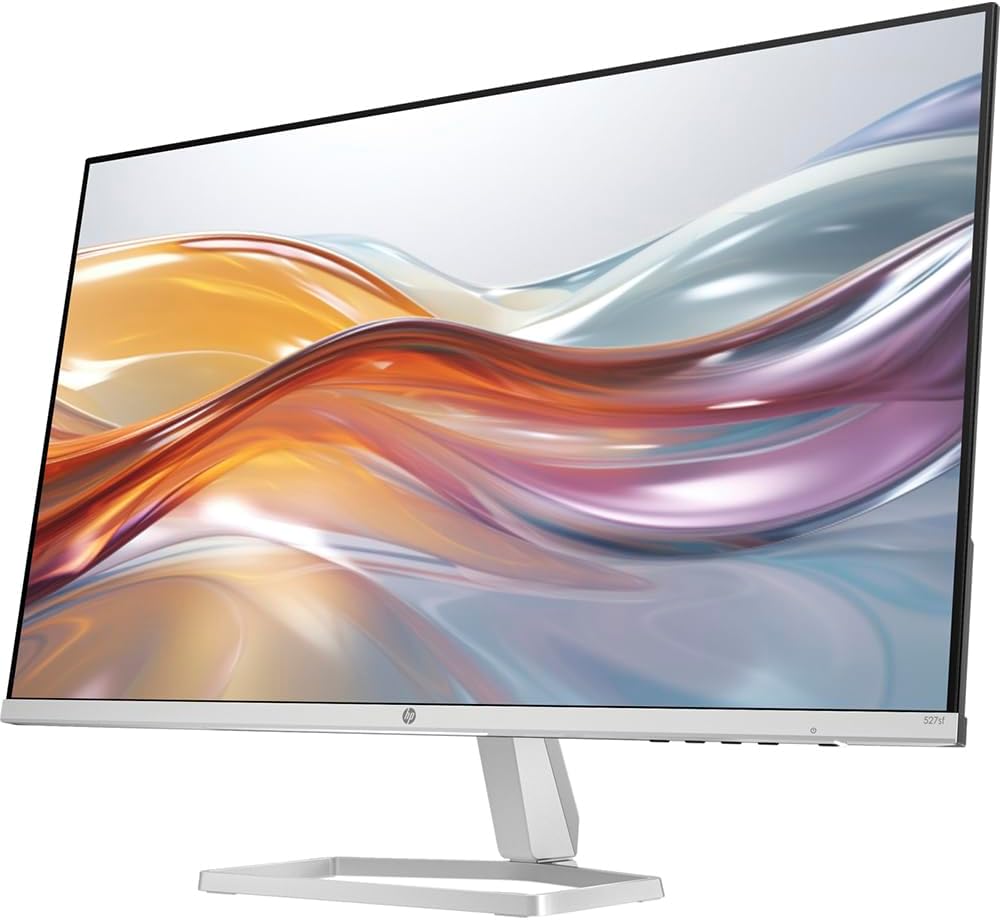
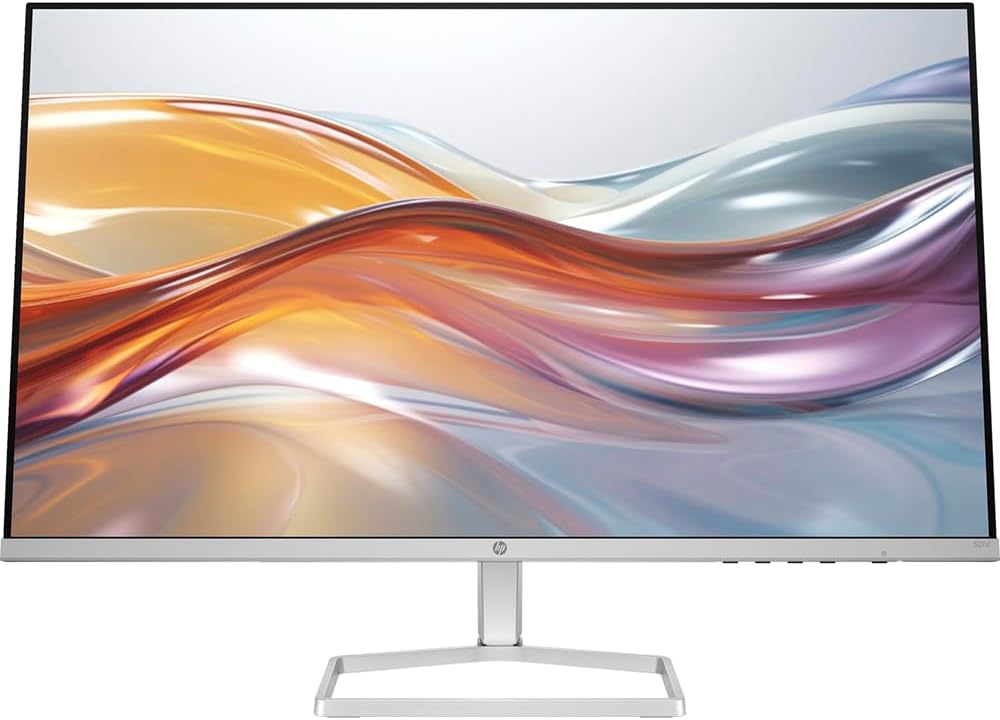
27-inch Full HD (1920×1080) IPS display with a 100Hz refresh rate, 99% sRGB colour, 1500:1 contrast, 5ms response and 300 nits brightness. Slim 3-sided micro-edge design in a black bezel with a silver stand. HP Eye Ease low blue light, 2× HDMI plus VGA, and an HDMI cable in the box. A bigger, smoother second screen for your laptop or a main screen for your desk.
HP 527sf: A Large, Colourful, Smooth Screen for Everyday Work
Many monitors in this price range are 60Hz panels. The HP Series 5 527sf gives you a 27-inch IPS screen with accurate colour and a 100Hz refresh rate, in a slim, modern design. It suits anyone who spends the day in documents, spreadsheets, browsers, and video calls and wants more room and a smoother picture than a laptop screen can give.
IPS panels keep colour and contrast steady when you look at them from the side, so the picture does not wash out if two people share the screen or you sit slightly off-centre. 99% sRGB coverage means photos, presentations, and web content show the colours they were designed to show, rather than the washed-out look of cheaper panels. The 300 nits brightness is comfortable in a normal lit office or at home, and the anti-glare finish cuts reflections from windows and lights.
Know These Before You Buy: Honest Limits
Full HD on 27 inches is a little less sharp than a 1440p screen, because the same 1920×1080 pixels are spread over a bigger panel (about 82 pixels per inch). Text is clear at a normal desk distance, but if you want razor-sharp text, look at a QHD monitor. The stand only tilts: there is no height adjustment, and the monitor is not VESA mount compatible, so it cannot go on a wall or monitor arm. A small riser or a stack of books can raise it. There are no built-in speakers, and the inputs are two HDMI ports and one VGA, with no DisplayPort or USB-C input. It is a comfortable everyday monitor, not a professional colour-grading or competitive-gaming screen.
27 Inches of Workspace
Two full documents side by side, or a spreadsheet beside your email. Far more room than a 14-inch laptop screen.
99% sRGB IPS Colour
Vivid, consistent colour from wide angles. Good for presentations, web design, photos, and everyday viewing.
100Hz Smoothness
A noticeably smoother feel than a 60Hz monitor when scrolling, moving windows, and watching motion on screen.
Flexible Connections
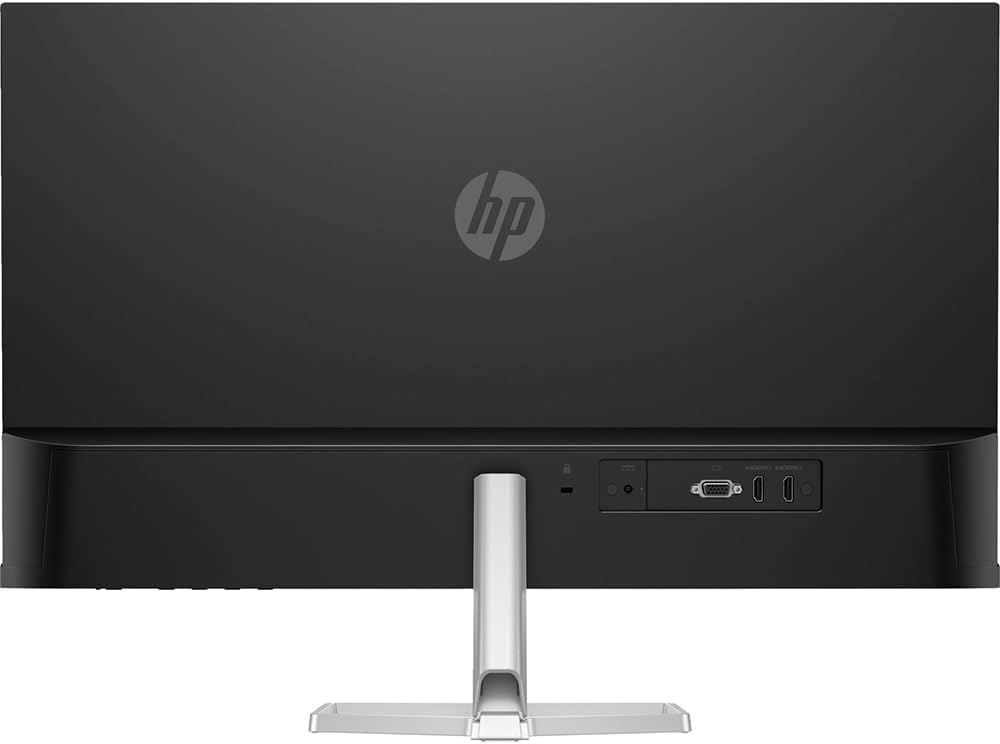
Two HDMI 1.4 ports and one VGA. Connect a laptop, a desktop, a streaming box, and an older PC at once. An HDMI cable is included.
HP Series 5 527sf Specifications: Ksh 27,499
Specifications follow HP's published data for the 527sf. Available at Tech Convenience Store, Nairobi CBD.
| Feature | Specification |
|---|---|
| Model | HP Series 5 527sf (2025 model) New |
| Screen Size | 27-inch (68.6cm) diagonal, 16:9, flat 27" |
| Panel | IPS, anti-glare, edge-lit IPS |
| Resolution | 1920 × 1080 Full HD (native) · 82 pixels per inch · 0.31mm pixel pitch |
| Refresh Rate | Up to 100Hz 100Hz 100Hz is available over HDMI. Your laptop or PC must support it. |
| Response Time | 5ms GtG (with overdrive) 5ms |
| Brightness | 300 nits (typical) |
| Contrast Ratio | 1500:1 static 1500:1 |
| Colour | 99% sRGB (typical) · 16.7 million colours 99% sRGB |
| Eye Care | HP Eye Ease with Eyesafe Certification 2.0 · flicker-free · anti-glare Low Blue Light |
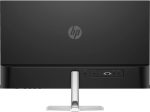
| Inputs | 2× HDMI 1.4 (with HDCP) · 1× VGA 2× HDMI No DisplayPort / USB-C |
| Audio | No built-in speakers No speakers |
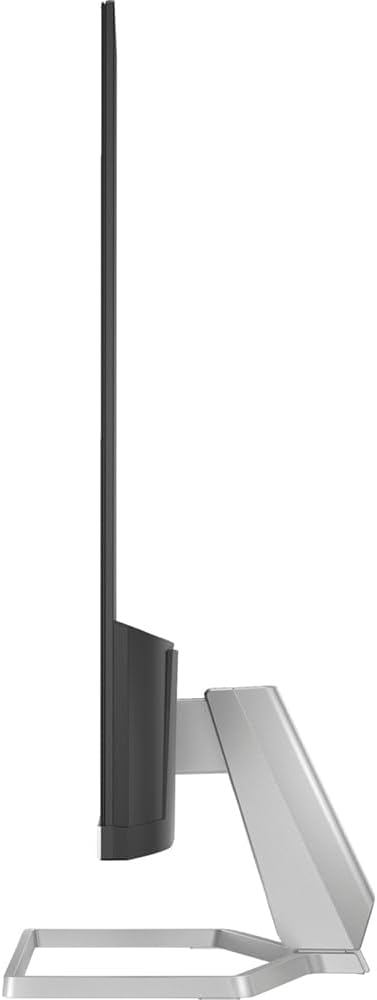
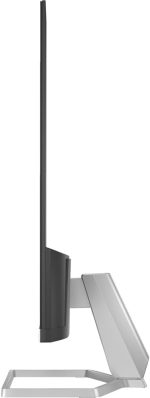
| Stand | Tilt adjustment (-5° to +25°) · detachable · no height adjustment Tilt only |
| Mounting | Not VESA compatible · cable lock slot No wall mount |
| Design | 3-sided micro-edge bezel · black bezel with silver stand |
| Controls | On-screen menu for brightness, colour, image, and input |
| Power | 19W typical · 24W maximum · 0.5W standby · 100–240V, 50/60Hz · external power adapter · ENERGY STAR |
| Dimensions | With stand: 607.9 × 437.3 × 188.2mm (W × H × D) · Without stand: 607.9 × 356 × 34.2mm |
| Weight | 3.2kg with stand |
| Compatibility | Works with Windows, Mac, and Chromebook (HDMI) |
| Price in Kenya | Ksh 27,499 at Tech Convenience Store, Nairobi CBD |
No built-in speakers. Not VESA mountable. Tilt-only stand. Inputs are HDMI and VGA only. Specifications are HP's published figures and may vary slightly by region.
Who Is the HP 527sf Perfect For?
A large, colourful, smooth monitor at a fair price. It suits desk work and shared viewing better than it suits professional creative work.
Home Office and Remote Work
Plug in your laptop and get a proper desk setup: documents on the big screen, video call on the laptop. Eye Ease helps through long days.
Accountants and Office Staff
Wide spreadsheets and two windows side by side. The 27-inch screen shows far more rows and columns than a laptop display.
Students
Notes on one side, research and the lecture on the other. Chromebook-compatible, and gentle on the eyes during late-night study.
Laptop Users Adding a Second Screen
A simple way to add a big, accurate display. If your laptop has an HDMI port, it connects with the cable in the box.
Casual Gamers and Streamers
100Hz and 5ms response make games and video noticeably smoother than 60Hz. A good fit for casual play, not for competitive esports.
Small Shops and Reception Desks
A clean, slim display for point-of-sale software, price lists, and customer-facing screens, with a VGA input for older machines.
HP 527sf Compared With Other Common Monitor Types
General comparison against typical monitors of each kind, to help you decide.
| Feature | Typical 24-inch FHD 60Hz office monitor | HP 527sf ★ Ksh 27,499 |
Typical 27-inch QHD (2560×1440) monitor |
|---|---|---|---|
| Screen size | 24" | 27" | 27" |
| Resolution | 1920×1080 | 1920×1080 | 2560×1440 |
| Sharpness (pixels per inch) | About 92 | About 82 | About 109 |
| Refresh rate | Usually 60Hz | 100Hz | 60Hz to 75Hz or higher |
| Colour | Varies (many are TN or VA) | IPS, 99% sRGB | Usually IPS |
| Height adjustment | Often tilt only | Tilt only | Often included |
| Price | Usually lower | Ksh 27,499 | Usually higher |
Our honest take: if you want the biggest screen, good colour, and a smooth 100Hz picture at a sensible price, the 527sf is a strong choice. If your top priority is razor-sharp text for long reading or design work, or you need height adjustment, consider a QHD monitor with a more adjustable stand.
🔌 Will It Work With My Laptop?
- ✔Laptop with an HDMI port: use the HDMI cable in the box. Plug in, then set the display to Extend or Duplicate (press Windows + P).
- ✔Laptop with only USB-C: you need a USB-C to HDMI cable or adapter, and the USB-C port must support video (look for a Thunderbolt or DisplayPort symbol).
- ✔Older computers with VGA: use the monitor's VGA input. This is for older machines and is not the 100Hz connection.
- ✔Chromebooks, Macs, and Windows PCs: all work over HDMI. HP lists the monitor as Chromebook compatible.
- ✔Getting 100Hz: connect over HDMI, then open Settings, System, Display, Advanced display and choose 100Hz. If it does not appear, try the monitor's other HDMI port, a different cable, and update your graphics driver.
📦 What Is in the Box
- HP Series 5 527sf monitor
- HDMI cable
- Power adapter
- AC power cord
- Document kit
Why Buy From Tech Convenience Store?
Nairobi CBD · Physical Store · Countrywide Delivery
See It Powered On
Look at the screen and check for dead pixels before you pay.
Real Shop, Real Address
Shop U11, F&F Building, Tom Mboya Street, Nairobi CBD.
M-Pesa Accepted
Pay by M-Pesa, bank transfer, or cash in store.
Countrywide Delivery
Delivery across all 47 counties in Kenya.
Pair With a Laptop
Ask us for a verified laptop that drives this monitor properly.
WhatsApp Support
Quick answers on 0714 722 264, Mon to Sat, 10am to 5pm.
Frequently Asked Questions:
HP Series 5 527sf Kenya
Common questions from Kenyan buyers about the HP 527sf monitor.
-
The HP Series 5 527sf 27-inch FHD IPS monitor with 100Hz refresh rate and 99% sRGB is Ksh 27,499 at Tech Convenience Store, Shop U11, F&F Building, Tom Mboya Street, 1st Floor, Nairobi CBD. WhatsApp 0714 722 264 to confirm stock. Countrywide delivery is available.
-
No. HP confirms the 527sf has no built-in speakers. Sound comes from your laptop, external speakers, or headphones. If you need a monitor with speakers, ask us about other options.
-
No. The 527sf is not VESA compatible, so it cannot be wall-mounted or fitted to a monitor arm, and its stand adjusts for tilt only with no height adjustment. If you need it higher, a stable monitor riser or stand under the base works well.
-
If your laptop has an HDMI port, plug in the HDMI cable that comes in the box. If your laptop has only USB-C ports, you need a USB-C to HDMI cable or adapter, and the USB-C port must support video output (look for a Thunderbolt or DisplayPort symbol). The monitor also has a VGA input for older computers. There is no DisplayPort or USB-C input on the monitor itself.
-
For everyday work, 100Hz makes scrolling, window movement, and the cursor feel smoother than on a 60Hz screen, and it helps video and casual games. You do not need it for spreadsheets, but most people notice the difference once they have used it. To get 100Hz, connect over HDMI and choose 100Hz under Settings, System, Display, Advanced display. Some older laptops cap external HDMI at 60Hz.
-
Available at Tech Convenience Store, Nairobi CBD: Shop U11, F&F Building, Tom Mboya Street, 1st Floor. WhatsApp 0714 722 264. Open Monday to Saturday 10am to 5pm. You can see the monitor powered on before you pay. Countrywide delivery is available.
Is a 5-Year-Old Lenovo ThinkPad
Still Worth Buying in 2027?
Age is the wrong question. The right one is which processor generation is inside, because that decides whether it runs Windows 11 at all.
Yes, an older ThinkPad can still be well worth buying, but only if the processor generation is right. Windows 11 officially needs an Intel 8th generation Core processor or newer, or an AMD Ryzen 2000 series or newer, plus TPM 2.0 and Secure Boot. ThinkPads with 8th generation and newer chips (T480 and T480s, T490 and T490s, T14 and later) are good value for office work, browsing and calls. ThinkPads with 6th or 7th generation chips, such as the T470 and T470s, are not officially supported by Windows 11 and would be stuck on Windows 10, which no longer gets regular security updates. Beyond generation, check battery health, an SSD, and 16GB of RAM, and walk away if any of those fail.
Windows 11
Windows 11
by Windows 11
722 264WhatsApp — ask us to
confirm a unit's generation
ThinkPads have a reputation for lasting, and it is largely deserved: they are built for corporate fleets, with sturdy chassis and well-regarded keyboards. That is exactly why so many five-year-old and even older units are still on sale in Nairobi and are still perfectly usable. But "it is a ThinkPad" does not answer the question that really decides whether you will be happy in a year: what is inside, and does the software you need still support it?
This guide replaces the vague "how old is it?" with the checks that actually matter: processor generation first, then battery, storage, RAM and security chip. If you want the background on how generations differ, our processor generations guide covers it, and our piece on a newer Core i5 versus an older Core i7 explains why generation often beats the i5 or i7 label.
Generation Decides It: A Quick Map
What "older" actually means for Windows 11.
| Intel generation | Example ThinkPads | Windows 11 |
|---|---|---|
| 6th and 7th gen | T470, T470s | Not officially supported |
| 8th gen | T480, T480s, T490, T490s, X390 | Supported (the minimum) |
| 10th gen | T14 Gen 1, X13 Yoga Gen 1 | Supported |
| 11th gen and newer | T14 Gen 2 and later | Supported |
| AMD Ryzen 2000 series and newer | T495s and other Ryzen PRO ThinkPads | Supported |
Always confirm the exact processor model on the unit in front of you, not just the ThinkPad model name.
A five-year-old laptop bought in 2027 was built around 2022, which puts it in the 11th and 12th generation, comfortably inside Windows 11 support. The older units you will also see for sale, from the 8th to 10th generation, are officially supported too. Microsoft's current list of processors for new devices starts at newer generations, but that is guidance for manufacturers building new machines and does not remove support from existing 8th to 10th generation laptops. The 6th and 7th generation machines are the real problem: they have never been officially supported.
Yes, It's Worth It — If These Seven Checks Pass
Do them in person, or ask the seller to show you on a video call.
powercfg /batteryreport, then compare the design capacity with the current full-charge capacity. A big gap means short battery life and a replacement cost.tpm.msc to confirm the TPM is present and reports version 2.0, and check Secure Boot in System Information. A supported processor with the TPM switched off in BIOS can usually be fixed, but confirm it before you pay."A five-year-old ThinkPad with the right chip and a healthy battery beats a three-year-old laptop with the wrong one. Buy the generation, not the age." — Tech Convenience Store, Tom Mboya Street, Nairobi CBD
What an Older ThinkPad Can't Do
Honest limits, so there are no surprises.
An older ThinkPad will handle office work, email, video calls, browsing, accounting software and general study very well. It will not give you everything a current machine does. Processors from the 8th to 10th generation have no built-in AI accelerator, so they lack the on-device AI features that newer Copilot+ PCs offer. That only matters if you specifically want those features. Also, nobody can guarantee what Microsoft will require in future versions of Windows, so treat any older machine as a good-value tool for the next several years rather than a permanent one. If you plan to run heavy creative or engineering software, a newer generation will serve you better.
- The processor is 6th or 7th generation and you need Windows 11 — it is not officially supported, and Windows 10 no longer receives regular security updates.
- The listing says only "Core i5" or "Core i7" with no model number — ask for the exact processor, since the generation decides everything.
- It has a hard disk instead of an SSD — the laptop will feel slow, and you should price in an SSD upgrade or choose another unit.
- Battery health is poor and the seller will not show a report — a replacement battery is a real extra cost.
- The TPM is missing or version 1.2 — Windows 11 needs TPM 2.0.
- No written warranty at all — for an older machine, that is a deal-breaker.
As a guide to price against capability, our current ThinkPad stock with 8th generation and newer processors runs from roughly Ksh 26,500 up to Ksh 46,000, depending on generation, RAM and model, and prices and stock change, so confirm on WhatsApp before visiting. For a business buyer comparing models, our business laptop checklist covers the rest of what to look for.
- Exact processor model read from Settings, not the listing
- Intel 8th gen or newer, or AMD Ryzen 2000 or newer
- Battery report run and capacity compared to design
- Drive confirmed as SSD in Task Manager
- RAM checked, ideally 16GB, and upgradeability asked
- TPM 2.0 present and Secure Boot checked
- Keyboard, trackpad, hinge and screen inspected
- No unusual heat or fan noise under light load
- Warranty terms confirmed in writing
- Serial number checked with the manufacturer
- Microsoft — End of support for Windows 10 (support ended October 14, 2025; Extended Security Updates is a limited paid option)
- Microsoft Q&A — Windows 11 supports Intel 8th generation processors and newer; 7th generation is not supported
- How-To Geek — Windows 11 is not dropping support for existing older Intel CPUs; minimum remains 8th gen Intel or Ryzen 2000
- Re-Source Partners — What the end of Windows 10 support means for the used computer market (6th and 7th gen excluded)
- iFeelTech — Windows 11 requirements: TPM 2.0, Secure Boot, supported processors, and the lack of NPU on older chips
Frequently Asked Questions
Direct answers on buying an older ThinkPad.
- Often yes, provided it has a processor generation that runs Windows 11, a healthy battery, an SSD, and enough RAM. ThinkPads are built for business use, so a well-kept older unit can still do office work, browsing and video calls well. What matters is the processor generation and the condition of the individual unit, not how many years old the model is.
- Windows 11 officially requires an Intel 8th generation Core processor or newer, or an AMD Ryzen 2000 series or newer, together with TPM 2.0 and Secure Boot. Intel 6th and 7th generation processors, found in ThinkPads such as the T470 and T470s, are not officially supported by Windows 11.
- It will still run, but it would be stuck on Windows 10, which stopped receiving regular security updates from Microsoft in October 2025, or on an alternative operating system such as Linux. For a machine you use online for banking, email or work, that is a real risk, so it is better to choose a generation that supports Windows 11.
- Confirm the exact processor model and generation, check battery health with the powercfg /batteryreport command, confirm the drive is an SSD and not a hard disk, check the installed RAM, and confirm TPM 2.0 is present and enabled. Also ask for the warranty terms in writing and inspect the keyboard, screen and hinges in person.
- Age itself does not slow a laptop, but the parts that wear do: batteries lose capacity and fans collect dust, which can cause heat-related throttling. A laptop with a hard disk instead of an SSD, or with too little RAM, will also feel slow. Checking those specific parts matters more than the age of the model.
- Tech Convenience Store, Shop U11, F&F Building, Tom Mboya Street, 1st Floor, Nairobi CBD. Mon-Sat 10am-5pm. WhatsApp 0714 722 264. We can confirm the exact processor generation, battery health and drive type of any unit before you pay.
So, is an older ThinkPad still worth buying? Yes, when the generation is Windows 11-ready, the battery and drive are in good shape, and the seller will put a warranty in writing. The age on the calendar matters far less than the chip inside and the condition of the wearing parts. Check those, and an older ThinkPad is one of the best-value business laptops you can buy.
Want us to check a specific unit's generation, battery and drive with you? Visit Shop U11, F&F Building, Tom Mboya Street, Nairobi CBD, or WhatsApp 0714 722 264. We deliver countrywide via G4S and Fargo Courier to all 47 counties.
- Processor GenerationsUnderstanding Laptop Processor Generations (7th–14th Gen)
- Generation vs LabelNewer Core i5 vs Older Core i7: Which Laptop Is Faster?
- Full Spec CheckHow to Check Specs in a Laptop (Windows 11)
- GradingHow to Verify a Refurbished ThinkPad Is Graded Properly
- AuthenticityHow to Check If a Laptop Is Genuine Before Buying
- WarrantyLaptop Warranty in Kenya: What Should a Genuine Seller Guarantee?
- Business ChecklistWhat to Look for When Buying a Business Laptop
- RAM Guide8GB vs 16GB RAM: Which Do You Really Need?
We'll Check the Generation Before You Pay
Exact processor, battery health and drive type, confirmed on the unit in front of you. 0714 722 264 · Tom Mboya Street.
Customer Reviews
Only logged in customers who have purchased this product may leave a review.
Related Products
HP 527sf Series 5 27-inch FHD IPS Monitor | 100Hz | 99% sRGB
In stock
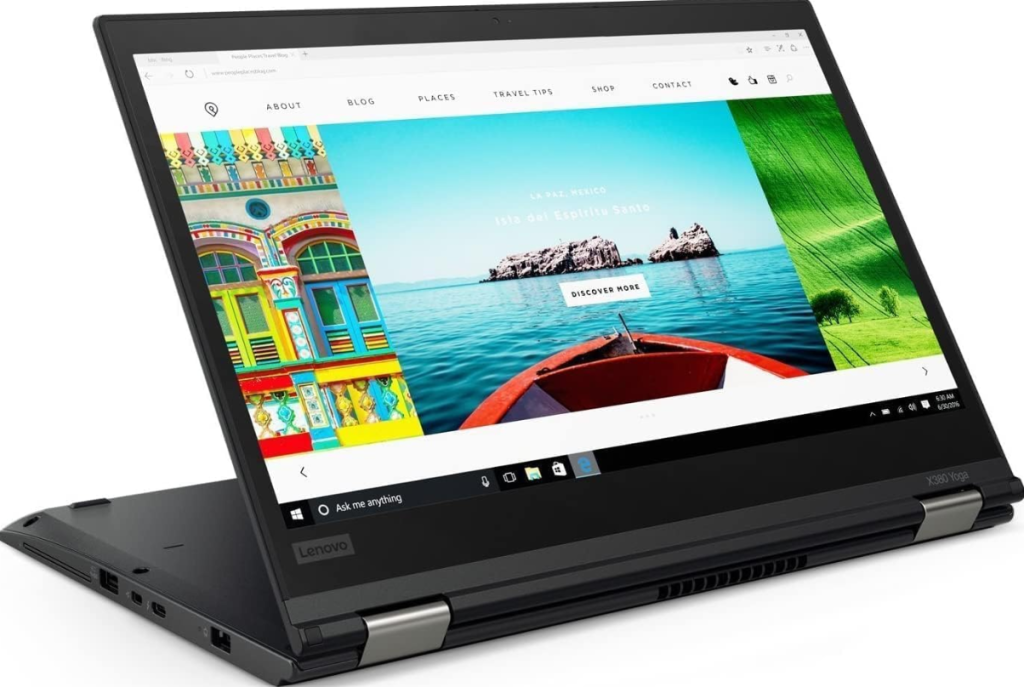
ThinkPad X380 Yoga | i5 8th Gen | 8GB | 256GB | 13.3-inch FHD Touch
In stock
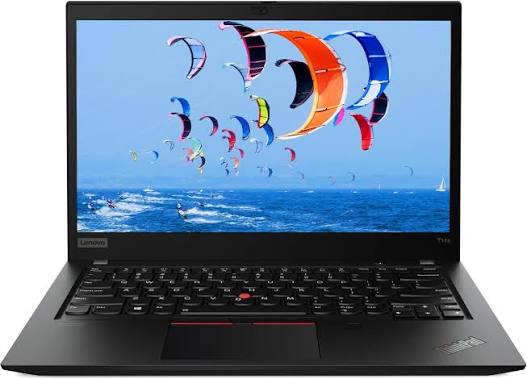
Lenovo ThinkPad T14s Price in Kenya | Core i7-10610U | 32GB RAM | 512GB SSD | 14-inch FHD Touchscreen
In stock
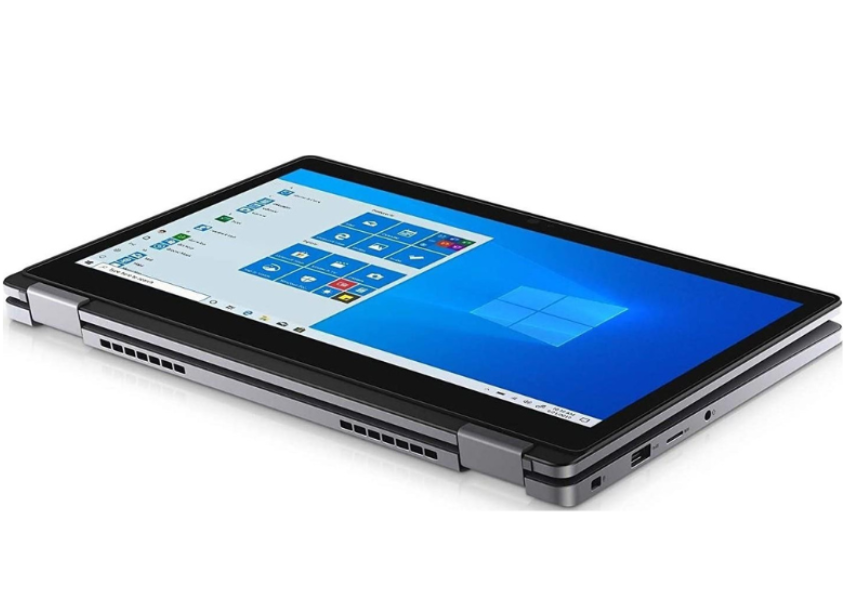
Dell Latitude 5300 2-in-1 x360 Intel Core i5-8365U 8GB 256GB 13.3″ FHD IPS Touchscreen
In stock
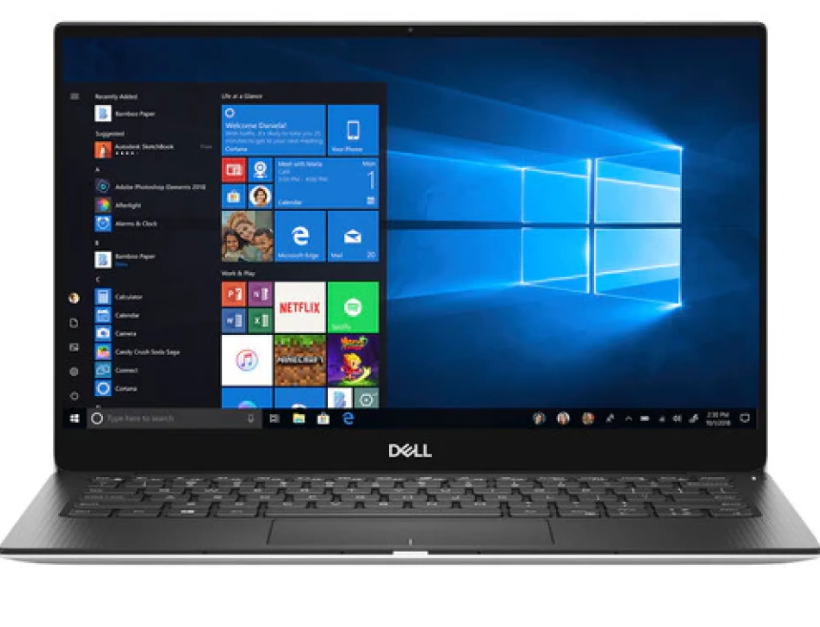
Dell XPS 13 9380 | Core i7-8565U | 16GB RAM | 256GB SSD | 13.3″ FHD
In stock
Reviews
Clear filtersThere are no reviews yet.